-
X1002: Difference between revisions
No edit summary Tag: Reverted |
Replace <comments/> with <comment-streams /> |
||
| (4 intermediate revisions by 3 users not shown) | |||
| Line 11: | Line 11: | ||
[[File:X1002-IMG-7121.jpg|thumb|right|X1002 v1.0]] | [[File:X1002-IMG-7121.jpg|thumb|right|X1002 v1.0]] | ||
[[File:X1002-IMG-7173-Installation-1.jpg|thumb|right|X1002 Install Guide]] | [[File:X1002-IMG-7173-Installation-1.jpg|thumb|right|X1002 Install Guide]] | ||
=Overview= | |||
==Overview== | |||
The X1002 shield is a bottom NVMe M2 2280 SSD PIP (PCIe Peripheral Board) for the Raspberry Pi 5 that uses the new PCIE interface of the Raspberry Pi 5 to utilise the NVME M2 SSDs for fast data transfers and ultra-fast booting. | The X1002 shield is a bottom NVMe M2 2280 SSD PIP (PCIe Peripheral Board) for the Raspberry Pi 5 that uses the new PCIE interface of the Raspberry Pi 5 to utilise the NVME M2 SSDs for fast data transfers and ultra-fast booting. | ||
| Line 22: | Line 23: | ||
On 13 January 2024, X1002 V1.1 has been released. Compared with V1.0, only pogo pin power supply has been added. | On 13 January 2024, X1002 V1.1 has been released. Compared with V1.0, only pogo pin power supply has been added. | ||
----- | ----- | ||
{{PCIe to NVME Sets}} | {{PCIe to NVME Sets}} | ||
{{NVMe SSD Incompatibility List}} | {{NVMe SSD Incompatibility List}} | ||
==Features== | ==Features== | ||
| Line 43: | Line 39: | ||
# Do not reserve the nut column to fix the 2230/2242/2260 SSD, users need to find proper way to fix them. | # Do not reserve the nut column to fix the 2230/2242/2260 SSD, users need to find proper way to fix them. | ||
=How to Power= | ==How to Power== | ||
Can power the X1002 shield directly from the FFC PCIe ribbon (providing maximum 5W of continuous power) | Can power the X1002 shield directly from the FFC PCIe ribbon (providing maximum 5W of continuous power) | ||
[[File:Nvme-SSD-Current-Note.jpg|800px]] | [[File:Nvme-SSD-Current-Note.jpg|800px]] | ||
=Packing List= | ==Packing List== | ||
* 1 x X1002 NVMe SSD Shield bottom | * 1 x X1002 NVMe SSD Shield bottom | ||
* 1 x PCIe FPC Cable | * 1 x PCIe FPC Cable | ||
| Line 60: | Line 56: | ||
</gallery> | </gallery> | ||
=Matching Case= | ==Matching Case== | ||
Refer to [[P580]] | Refer to [[P580]] | ||
*'''How to Install X1002''' | *'''How to Install X1002''' | ||
| Line 68: | Line 64: | ||
:[[File:P580-installatcion.jpg|600px]] | :[[File:P580-installatcion.jpg|600px]] | ||
=User Manual= | ==User Manual== | ||
* X1002 hardware description: [[X1002 Hardware]] | * X1002 hardware description: [[X1002 Hardware]] | ||
* X1002 software tutorials: [[NVMe SSD boot with the Raspberry Pi 5]] | * X1002 software tutorials: [[NVMe SSD boot with the Raspberry Pi 5]] | ||
| Line 76: | Line 72: | ||
==Video Guide== | ===Video Guide=== | ||
Installation Video of X1002 & [[P580]] Case: https://youtu.be/Dn5eowo7_Qw | Installation Video of X1002 & [[P580]] Case: https://youtu.be/Dn5eowo7_Qw | ||
{{#ev:youtube|https://youtu.be/Dn5eowo7_Qw}} | {{#ev:youtube|https://youtu.be/Dn5eowo7_Qw}} | ||
| Line 88: | Line 84: | ||
{{#ev:youtube|https://youtu.be/3mUgVTBmKio}} | {{#ev:youtube|https://youtu.be/3mUgVTBmKio}} | ||
=FAQ= | ==FAQ== | ||
{{X100x-FAQ}} | {{X100x-FAQ}} | ||
<!--Add review function! --> | <!--Add review function! --> | ||
< | <comment-streams id="main" /> | ||
<!--Please choose the --> | <!--Please choose the --> | ||
Latest revision as of 10:13, 27 May 2026


Overview
The X1002 shield is a bottom NVMe M2 2280 SSD PIP (PCIe Peripheral Board) for the Raspberry Pi 5 that uses the new PCIE interface of the Raspberry Pi 5 to utilise the NVME M2 SSDs for fast data transfers and ultra-fast booting.
This shield follows the new "PIP" design guideline from Raspberry Pi fundation ensuring that it will be easy to use and be supported long term by updates to Raspberry Pi OS - though it is very early days and things are improving rapidly there!
[Update]
On August 2024, now we use black FPC wire, which has electromagnetic shielding and anti-interference.(Accessories may vary from platform to platform, some platform inventory may not have been updated, please refer to the sales page information is mainly)
On 13 January 2024, X1002 V1.1 has been released. Compared with V1.0, only pogo pin power supply has been added.
After the Raspberry Pi AI Kit launched, we put four PiPs (X1001, X1004, X1011, M901) through testing; only X1011 does not support the Hailo-8 AI accelerator.
It should be noted that X1004 uses ASMedia ASM1182e PCIe switch, and X1011 uses ASM1184e, they can't support PCIe Gen 3 speed, so even though we forced to enable PCIe Gen 3.0 setting in Raspberry Pi 5, it is limited by ASMedia ASM1182e PCIe switch, and speed is still PCIe Gen 2.0 5Gbps speed. when you use an hailo-8 ai accelerator, Raspberry Pi Fundation highly recommends using PCIe 3.0 to achieve best performance with your AI Kit.
Our tentative conclusions are as follows:
- If you need to use hailo-8 ai accelerator with high performance, it is recommended to use X1001/X1015/X1003/M901/ the official M.2 HAT+ etc. When choosing these PIP boards, you should focus on whether there is a conflict between the camera cable and the PIP board installation, and enable PCIe3.0 to use hailo-8 ai accelerator. At the same time, you need to prepare an SD card as the system disk.
- If you don't care about the high performance brought by PCIe 3.0, then you can consider using X1004, so that you can use any socket of X1004 to install NVME SSD as the system disk, and another socket to install hailo-8 ai accelerator, so as to have both.
▼ Expand 📋 Geekworm PCIe to NVME Family:
Caution:
- The Matching Case section only indicates compatibility between the case, PCIe Peripheral Board and Raspberry Pi 5 Board, and excludes products in the Product Matching Reference section. Compatibility of these referenced products with the case is subject to their actual specifications.
- In addition to voltage and current, ensure that the total power of the power supply meets or exceeds the recommended input power (Total Power = Voltage x Current).
| Model | Compatible with | Position | NVMe M2 SSD Length Support | Power Input | Power Supply for SSD | Matching Case | Matching Cooler | Support NVMe Boot | Support PCIe 3.0 | Support Hailo-8 AI Accelerator | Product Matching Reference |
|---|---|---|---|---|---|---|---|---|---|---|---|
| X1001-Max | Raspberry Pi 5 | Top | 2230/2242/2260/2280 |
|
3.3V ±5% Max 8A | - | X-FAN40 / Official Cooler / H501 / H510 | Yes | - | Yes | |
| X1000 | Raspberry Pi 5 | Top | 2230/2242 |
|
3.3V, max 3.5A | P579 | Official Cooler / Argon THRML Cooler / H501 / H505 / H509 / H510 | Yes | - | Not tested | |
| X1001 | Raspberry Pi 5 | Top | 2230/2242/2260/2280 |
|
3.3V, max 3.5A | P579 | Official Cooler / Argon THRML Cooler / H501 / H505 / H509 / H510 | Yes | - | Yes | |
| X1002 | Raspberry Pi 5 | Bottom | 2230/2242/2260/2280 |
|
3.3V, max 3.5A | P580 / P580-V2 |
Official Cooler / Argon THRML Cooler / H501 / H505 / H509 / H510 | Yes | - | NO | |
| X1003 | Raspberry Pi 5 | Top | 2230/2242 |
|
3.3V, max 3.5A | P579 / P425 | Official Cooler / H501 / H510 Only | Yes | - | Not tested | |
| X1004 | Raspberry Pi 5 | Top | Dual ssd: 2280 |
|
3.3V, max 3.5A + 3.5A | P579-V2 | Official Cooler / Argon THRML Cooler / H501 / H505 / H509 / H510 | Yes (Requires EEPROM 2024/05/17 and later version) | NO | Yes | |
| X1005 | Raspberry Pi 5 | Bottom | Dual ssd: 2230/2242/2260/2280 |
|
3.3 V, max 6A | P580-V2 | Official Cooler / Argon THRML Cooler / H501 / H505 / H509 / H510 | Yes (Requires EEPROM 2024/05/17 and later version) | NO | Yes | |
| X1011 | Raspberry Pi 5 | Bottom | 4 ssds: 2230/2242/2260/2280 |
|
3.3 V, max 10A | X1011-C1 | Official Cooler / Argon THRML Cooler / H501 / H505 / H509 / H510 | Yes (eeprom 2024/05/17 and later version) | NO | NO |
|
| X1012 | Raspberry Pi 5 | Top | 2230/2242/2260/2280 |
|
5V, 5A | P579 | Official Cooler / Argon THRML Cooler / H501 / H505 / H509 / H510 | Yes | - | Not tested | |
| X1015 | Raspberry Pi 5 | Top | 2230/2242/2260/2280 |
|
3.3 V, max 6A | P579 | Official Cooler / Argon THRML Cooler / H501 / H505 / H509 / H510 | Yes | - | Yes | |
| M901 | Raspberry Pi 5 | Top | 2230/2242/2260/2280 |
|
- | P579 | Official Cooler / Argon THRML Cooler / H501 / H505 / H509 / H510 | Yes | - | Yes | - |
| Q100 | Raspberry Pi 5 | Top | 2242 | - | - | P579 | Official Cooler / Argon THRML Cooler / H501 / H505 / H509 / H510 | Yes | - | Not tested | - |
| Q200 | Raspberry Pi 5 | Top | Dual ssd: 2280 | - | - | P579 | Official Cooler / Argon THRML Cooler / H501 / H505 / H509 / H510 | NO | - | Not tested | - |
| M300 | Raspberry Pi 5 | Top | 2230/2242 | - | - | P579 | Official Cooler / Argon THRML Cooler / H501 / H505 / H509 / H510 | Yes | - | Not tested | - |
| M400 | Raspberry Pi 5 | Top | 2230/2242/2280 | - | - | P579 | Official Cooler / Argon THRML Cooler / H501 / H505 / H509 / H510 | Yes | - | Not tested | - |
🚫NVMe SSD Incompatibility List
Whether an SSD is compatible with the Raspberry Pi 5 does not depend on the X10XX series boards. We recommend avoiding the following NVMe SSDs equipped with a Phison controller, as they have been proven to have compatibility issues. You can run the "lspci" command to check the controller brand of your SSD.
- WD Blue SN550 (Solved! Refer to 🔗 New rpi-eeprom-update 2024-01-24 WD Blue SN550 nvme works now.)
- WD Green SN350 (Solved! Refer to 🔗NVMe_SSD_boot_with_the_Raspberry_Pi_5#comment-4602)
- WD Blue SN580
- WD Blue SN5000
- WD Black SN850
- WD Black SN770
- WD SN740
- WD SN810
- Inland tn446 nvme drive
- Corsair MP600 SSD
- Kingston NV3 NVME
- fanxiang S500 Pro with Maxio MAP1202 controller
- Micron 2450 SSD (Detected, but cannot boot from NVMe)
- Micron 2200 256GB M.2 NVMe Gen3 x4, Model: MTFDHBA256TCH (Detected, but cannot boot from NVMe)
- Other NVMe SSD drivers equipped with the same Phison controller
- SSDs equipped with the MAP1202 controller: Not backward compatible with PCIe Gen 2, causing compatibility issues. Not recommended for use. Reference 🔗 https://zhuanlan.zhihu.com/p/644984347
💡Customer Feedback:
- The Polaris controller may also have compatibility issues. If it does not work, please try a different SSD for testing.
- Some NVMe SSDs with Phison controllers have been reported to work after updating to the latest firmware. Refer to 🔗:X1001#comment-4638
✅ Other Incompatibility Notes:
- Incorrect SSD interface: NOT compatible with M.2 SATA SSDs, M.2 PCIe AHCI SSDs, other non-NVMe M.2 devices.
- Older NVMe drives: Use less efficient flash media and may not perform as well as newer drives.
- SSD is not partitioned: A brand new SSD must be partitioned and formatted when first connected to the Raspberry Pi before it can be accessed in the file explorer.
Features
- Full compatible with other HAT shield;
- Customized FPC cable for easy use of TF card
- Supports installation of official active coolers also;
- With ACT LED Indicator; On: Power OK/Standby,Flashing: Reading/Writing
- Supports 2230/2242/2260/2280 NVMe M2 SSD.
- Can power the X1002 shield directly from the FFC PCIe ribbon (providing maximum 5W of continuous power)
PS:
- The X1002 hardware has no limit on NVME SSD capacity, which is dependent on the Raspberry Pi OS.
- Do not reserve the nut column to fix the 2230/2242/2260 SSD, users need to find proper way to fix them.
How to Power
Can power the X1002 shield directly from the FFC PCIe ribbon (providing maximum 5W of continuous power)

Packing List
- 1 x X1002 NVMe SSD Shield bottom
- 1 x PCIe FPC Cable
- 4 x M2.5x5mm F/F Spacers
- 4 x M2.5x10mm Screws
- 1 x M2x4mm Screws (to fix NVMe M2 SSD)
-
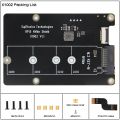 X1002 V1.1 Packing List
 -
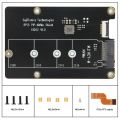 X1002 V1.0 Packing List


Matching Case
Refer to P580
- How to Install X1002

- How to Install P580

User Manual
- X1002 hardware description: X1002 Hardware
- X1002 software tutorials: NVMe SSD boot with the Raspberry Pi 5
- Raspberry pi 5 pcie connector pin out
- Dimensions source file (DXF): File:X1002-V1.0.dxf - You can view it with Autodesk Viewer online
- Test Reviews: Reter to X1001#Test Reviews
Video Guide
Installation Video of X1002 & P580 Case: https://youtu.be/Dn5eowo7_Qw
X1001/X1001/X1002 Test Video by leepsvideo https://youtu.be/XMA8e4r1AUQ
Which NVMe drives work with a Raspberry Pi 5? https://youtu.be/3mUgVTBmKio
FAQ
In fact, some PIPs such as X1001 / X1002 / X1003 / X1000 etc are just an extension of the Raspberry Pi 5 PCIe, and their own hardware functions are limited. If the OS configuration and PCle FFC cable faults can be ruled out, the normal operation of PCIe (recognizing and booting) depends more on the firmware and SSD compatibility. Since October 2023, the Raspberry Pi Foundation has been updating the bootloader version to solve similar problems. You can learn more from the link below.
Raspberry Pi5 bootloader EEPROM release notes
After several major version updates, the bootloader has basically solved the firmware issue, so the remaining is the OS configuration and SSD compatibility issues.
If you are using a very old SSD, if you are experiencing issues with it being recognised and not being able to boot, the first thing you should consider is replacing the NVME SSD.
Q1: Can't boot/recognize from NVMe SSD?
A: Here are a few steps to help you troubleshoot some issues:
- Only Raspberry Pi OS (Bookworm) supports PCIe, Raspberry Pi OS bullseye is NOT supported, refer to https://www.raspberrypi.com/software/operating-systems/
- Make sure that your OS configuration (
/boot/firmware/config.txt) is completely correct: refer to the tutorial:NVMe SSD boot with the Raspberry Pi 5 (will Continuously updating) - Update the bootloader firmware to the last verson, refer to How to update eeprom firmware, this is very important!!! Make sure your upgrade is successful by running command vcgencmd bootloader_version
- Add PCIE_PROBE=1 to the eeprom, (Run sudo rpi-eeprom-config --edit command, then add this line, then press CTRL+O to write change to file, press CTRL+X to exit, then reboot)
- Make sure the SSD type you use is correct, only support M.2 NVME (Sata) Key-M SSD NOT support M.2 NGFF Key-B SSD. Refer to the right diagram:
- Make sure the FPC cable is firmly and fully inserted into the PI 5, this is very important. For X1003 shield, make sure the FPC cable direction is correct also.
- For some small brand SSD, consider forcing open PCIe Gen3 to test (add
dtparam=pciex1_gen=3line in config.txt then reboot), because some small brand SSDs are NOT backward compatible with PCIe Gen 2 for cost reasons. - For X1003 shield, make sure the FPC cable direction is correct also. If an error still occurs, replace the FFC cable to test or purchase other PFC from here[1]to troubleshoot the issue.
- Read this post to get some help;
- Although you can also boot from a SD card, Pi OS is required for the NVMe SSD to boot, DON'T forget Flash OS into NVMe SSD.
- If you're flashing a fresh Pi OS into NVME SSD , DON'T forget to ENABLE PCIe to NVME SSD.
- Run the lspci and lsblk command to check the NVMe SSD is recognized. (NOTE: Make sure your NVMe SSD is plugged into the PCIe PIP, not just connecting PCIe PIP to the Pi5, otherwise the lspci will not be able to display any PCIe device). For X1004, X1005, Q200 and X1011, , you can only see several ASMedia Technology PCIe devices when running lspci, but not the NVME SSD information. You need to use the lsblk command to check whether NVME can be recognized.
- Start thinking about SSD compatibility issues and try to switch to other brands of NVME SSDs. Some customers have reported that they have successfully solved their problems by replacing their SSDs.
- Contact us at email: support@geekworm.com, and attached your product model, OS version (run uname -a to get), bootloader version (run vcgencmd bootloader_version to get) and order number
- How to get FPC Wires:
- ↑
Amazon US: https://www.amazon.com/dp/B0CXCTPQ2N
Amazon DE: https://www.amazon.de/dp/B0CX4T993J
Amazon UK: https://www.amazon.co.uk/dp/B0CX4T993J
Amazon JP: https://www.amazon.co.jp/dp/B0CYGKN7G1
- PS: The shortest length of the FPC cable here is 30mm, but the length of the FPC cable used by X1003 is only 22mm. For X1003, this may not be perfect, but you can use these FPC cables to troubleshoot the issue. DON'T buy it if you mind.
- If the issue is confirmed to be a FFC cable, we will reimburse you the cost of purchasing the FFC cable.
Q2: Don't recognize / boot from NVME SSD?
A: If you have enabled pcie and find that you still cannot boot from NVME SSD, please perform the following actions
1. Follow the picture below to check the version of X1001 or X1000

2. If it is an Old Version, refer to How to update eeprom firmware to update the firmware with pieeprom-2023-10-30.bin file.
3. If it is an New Version, refer to How to update eeprom firmware to update the firmware to lasted version.
4. If you still have not solved the problem, please refer to the next FAQ:Q1
Q3: How to fix the 2230/2242/2260 SSD on X1001 or other PIP?
A: The X1001 and other pips does not reserve the nut column to fix the 2230/2242/2260 SSD. Based on our test, you can secure the 2230/2242/2260 SSD using an M2*6mm screw and 2pcs M2 nuts. Place one M2 nut under the SSD, then use the M2*6mm screw and the other M2 nut to fasten the SSD.
PS: As of April 2024, we have added customized copper pillar in only X1001 packing list to solve this issue, please refer to the packing list of X1001.
Q4. X1002 can't boot when install into the P580 case?
A: Please check if the FPC cable touch the metal case make shorting when install X1002 into the metal case, you can stick the electrical tape on the case to prevent the ribbon FPC cable from contacting the case to test.
Q5: Which NVMe drives work with a Raspberry Pi 5?
A: You can refer to the video: https://youtu.be/3mUgVTBmKio.
Q6: Can they support gen3 PCIe speeds or only gen2?
A:
- All PIPs (such X1001, X1002, X1003 etc) are just an extension of the Raspberry Pi 5 PCIe interface. Apart from whether the chip on the PIP board supports PCIe 3.0 or not, the more main focus is on the Raspberry Pi 5.
- X1004, X1011, X1005 PIP boards do not support PCIe Gen 3 speed.
Q7: Why can the SSD be recognized but not bootable?
A:Please consider the following advice:
- The method of flashing OS to NVME SSD may be problematic.
It is recommended that you boot from the SD card first and then use the SD Card Copier tool to flash the OS to the NVME SSD. Refer to NVMe_SSD_boot_with_the_Raspberry_Pi_5#Flash_OS_onto_NVME_SSD
- The SSD used may be incompatible. Please replace it with other brand SSD.
Q8: Why does the LED of X1001/X1004 still blinking after issuing the shutdown command poweroff?
A:Please run the folloing command:
sudo rpi-eeprom-config -e
Then Change the setting of POWER_OFF_ON_HALT from 0 to 1
Then save & reboot your rpi 5.
PS: Currently setting is 1 by default