-
X306


Updated
X306 is updated to V1.3 on May 28th, 2024.
Please check the information on the page on the sales platform to confirm the version you will get.
- Only compatible with Raspberry Pi Zero 2W now
- Removed 3 standard USB-A 2.0 ports (Users have less need for this. Can directly use OTG port on the Raspberry Pi motherboard)
- Removed 4-pin header for external power swtich and always-on power option(Users have less need for this. Can can solder it yourself if needed)
- Smaller size, simplified use
File:X306-V1.3-IMG-8223-compare.jpg
- PS:
- 1. Shorting AL and ON will automatically power on
- 2. GND and PSW are pins for external reset/momentary switch
Overview
X306 is an ultra-thin one cell 18650 UPS shield designed for Raspberry Pi Zero 2W.
Features
| Key Features |
|
|---|---|
| Specification |
|
| Notes |
|
How to Power
Power Input: 5.1Vdc +/-5% , ≥3A (Power Via USB Type-C port of X306 NOT Pi zero 2W)

How to Cool
Aluminum Heatsink for raspberry pi zero 2 w, please refer to C296

Packing List
- 1 x X306 18650 UPS Shield
- 4 x M2.5 x 5mm Screws
-
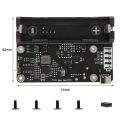 X306 V1.3 Packing List
 -
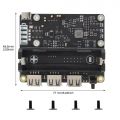 X306 V1.1 Packing List


Matching Case
X306-C1
User Manual
X306 V1.1 Dimension Source File
X306 V1.1 Dimensions source file (DXF): File:X306-pcb-v1.3.dxf or File:X306V1.1.dxf - You can view it with Autodesk Viewer online
X306 V1.1 4Pin header function description

4 Pin header function description:
| Pin | Function |
|---|---|
| AL ON: Pin 1&2 | Short: Power always on, power button disabled; |
| AL ON: Pin 1&2 | Open: Power button Press to switch on, Hold 3 seconds to switch off |
| PWR SW: Pin 3&4 | for external 2-pin momentary switch |
"AL ON" enable, "PWR SW" will be disable.
"PWR SW" enable, "AL ON" will be disable.
FAQ
Q1. What 18650 battery is recommended?
A: 3.7V flat top 18650 battery is required. 18650 battery dimension is as follow

Please use high quality batteries from Samsung 35E 18650 lithium battery, Panasonic NCR18650B, Toshiba, etc. Do not use the battery with built-in protection circuit because it will limit the discharge current.
Q2. What is the power output for each usb port of X306 V1.1 Version?
A: It is 5V, all ports share 4A, not limited to 500mA.
Q3. Is there any way I can check from the raspberry pi if it's connected to the power or the battery from the UPS?
A: When connected to the power supply to X306, the power supply supplies power to the Raspberry Pi; remove the power supply, it is powered by the battery.
Q4. No data on the usb ports?
A: There is a feedback from buyers that solved this problem. Please refer to go to:X306#comment-4545
in config.txt comment out: dtoverlay=dwc2
and in cmdline.txt remove: modules-load=dwc2,g_ether
reboot and it works!
<comments />